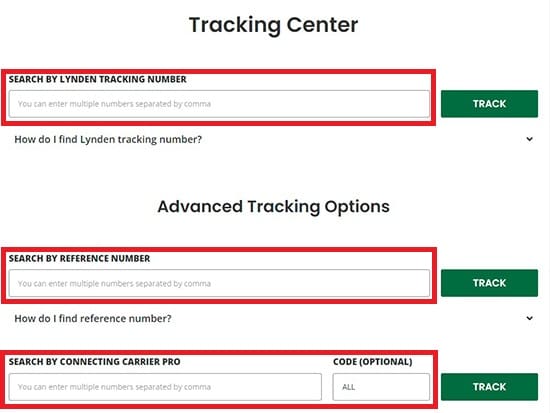
Our Shipment Updates emails provide automatic email notifications whenever your shipment hits certain milestones in the shipping process. Shipment Updates emails can be set up for specific shipments. To get started, go to Lynden Tracking Center and enter your shipment tracking number (Shipment Updates can also be set up from within EZ Commerce).
Enter either: Lynden Number, Reference Number, or Connecting Carrier Pro, and click “Track”.
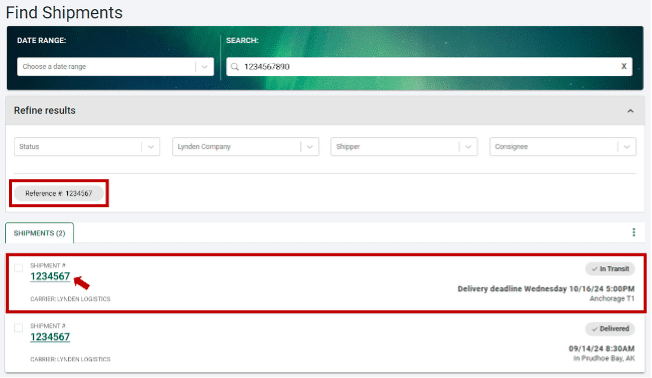
A results list will display based on your search. To get more details, click on the Lynden shipment number in the search results list.
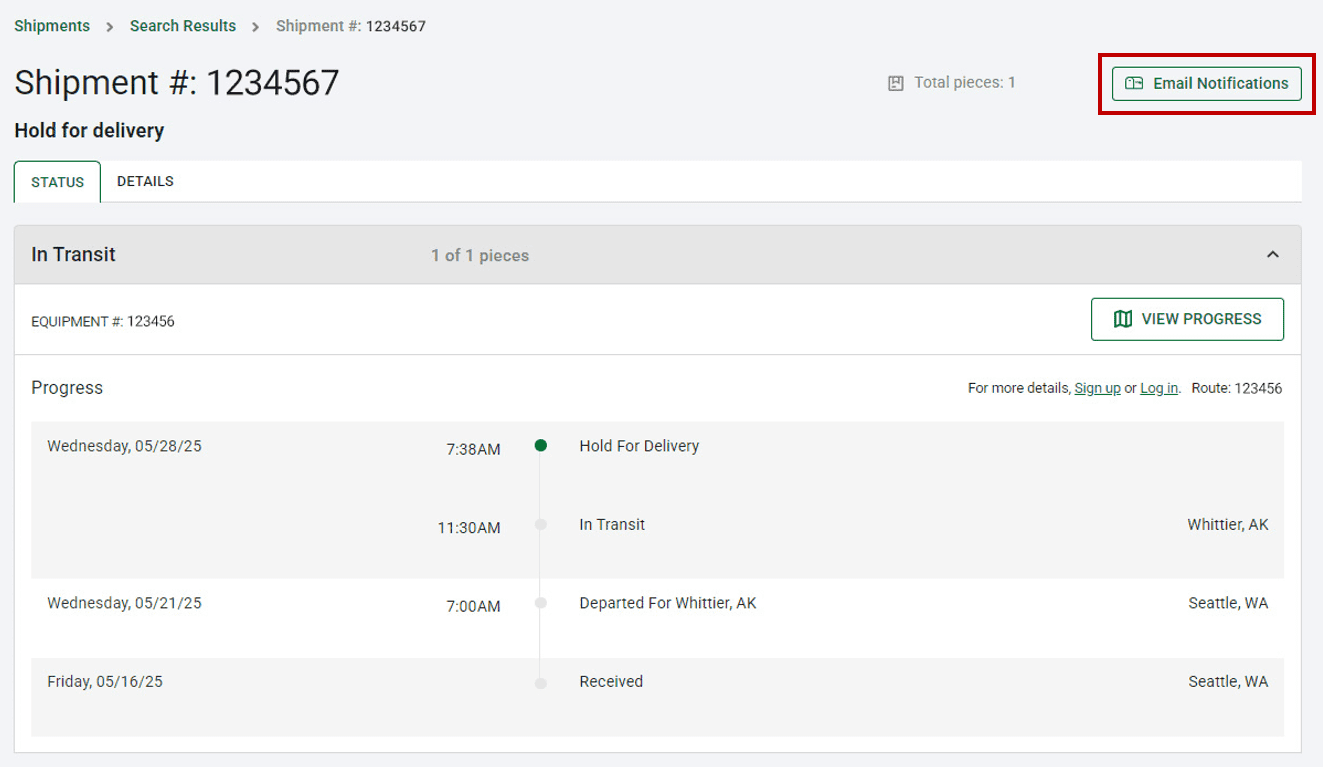
After clicking on the shipment number in search results, you will see more status information for that shipment. Click on the “Email Notifications” button to get alerted when the status changes.
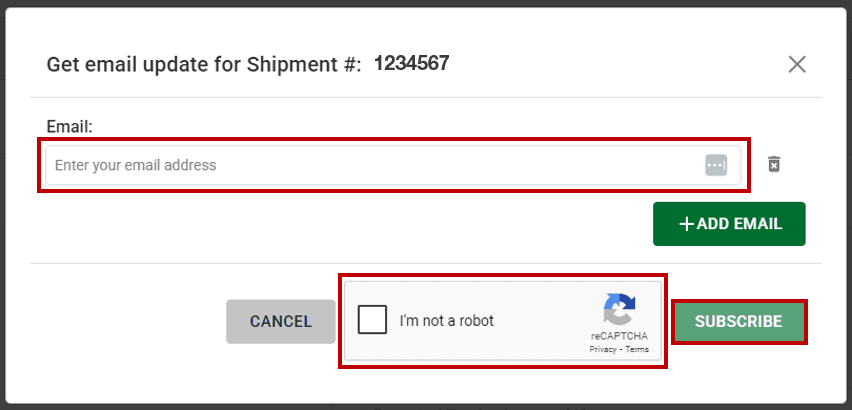
Enter your email address (for multiple email addresses separate by comma).
Select the “I’m not a robot” checkbox.
Click “Subscribe”.