
You can search by Lynden tracking number, or by reference numbers such as a purchase order, booking, quote, or shipper bill of lading number in our Tracking Center. There is also the option to track by a connecting carrier’s pro number. No login is required.
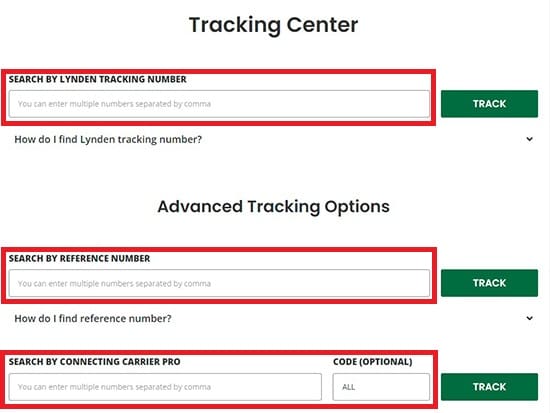
Your tracking number will be between 6 and 8 digits long. Do not include the dash and extra number after the dash (if there is one). You may see the tracking number listed as “Pro Number” or “Shipment Number” on your Bill of Lading or other shipping documents.



If you don’t have a Lynden tracking number, you can still search for your shipments using reference numbers. These can include but are not limited to the unit number, purchase order, booking or quote number, and shipper bill of lading number.

Is another carrier bringing your shipment to one of our locations for us to transport it to Alaska or Hawaii? If so, you can track your shipment using the carrier pro number your shipment delivered to us on.
Simply enter that carrier‘s tracking number and carrier code (optional) to pull your shipment. On our tracking results page, you will see the updated shipment status as well as our assigned Lynden tracking number to use when tracking your shipment going forward.
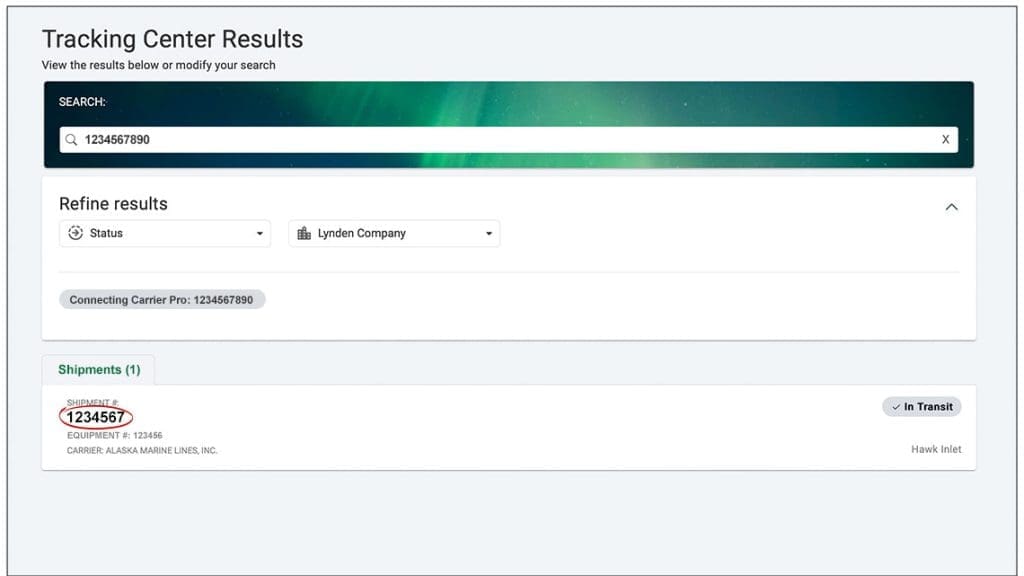
Shipment status(es) are returned and you have the option to click on the shipment and see more details. Click the “Email Notifications” button as long as the shipment has not been delivered. Opting in will provide automatic email notifications whenever your shipment hits certain milestones in the shipping process.
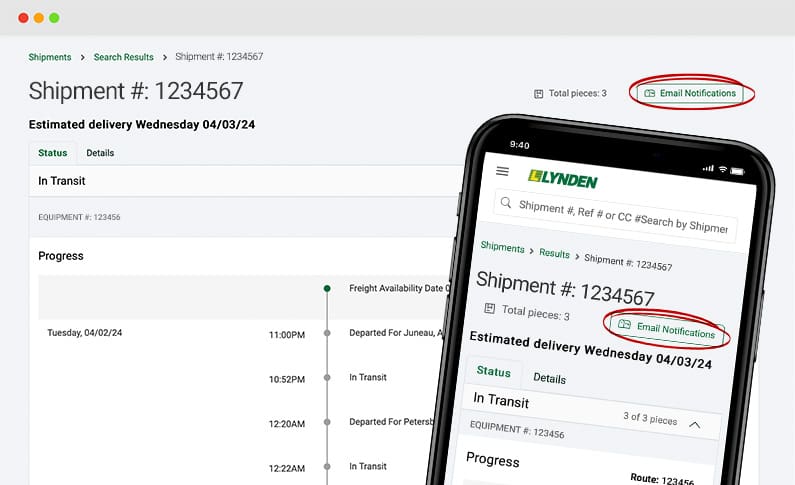
For more information about Email Updates, see Shipment Updates.
Sill unable to find your shipment?
If you are still having issues tracking your shipment, please submit our tracking request form and a freight professional will contact you. If you need immediate assistance, please Contact Us.