
Trying to locate a piece of equipment? Search by equipment, container, trailer, or unit number in EZ Commerce.
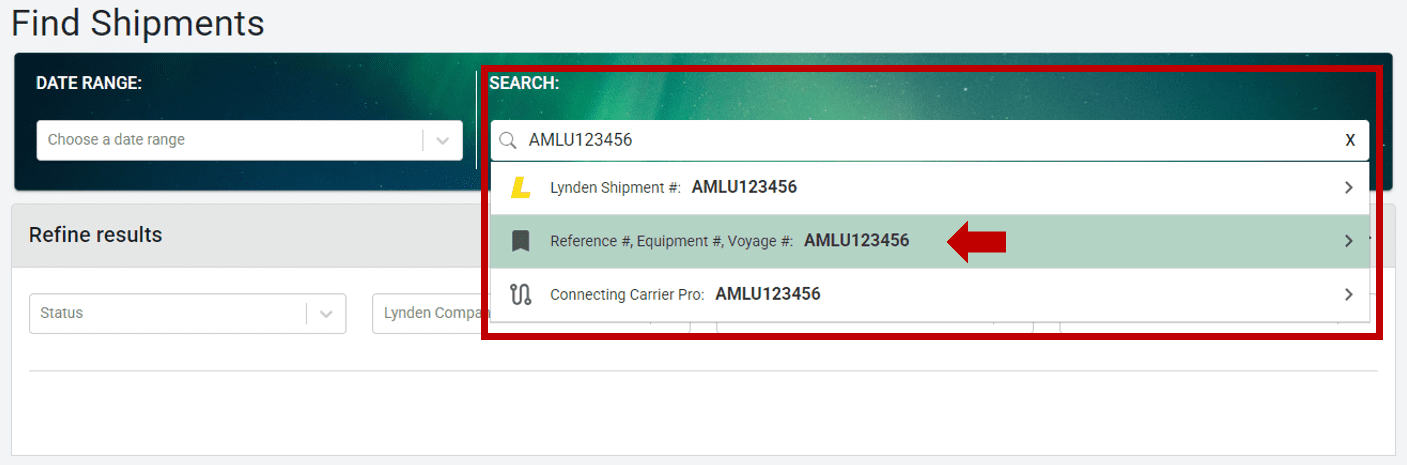
In the Search field, enter your equipment number. You may enter the equipment number with or without the prefix. For example, “AMLU123456” or “123456” searched as an equipment number should pull up the same tracking results.
After typing the equipment number, you must select the type of search from the list below. In this case, use the “Reference #, Equipment #, Voyage #” search type.
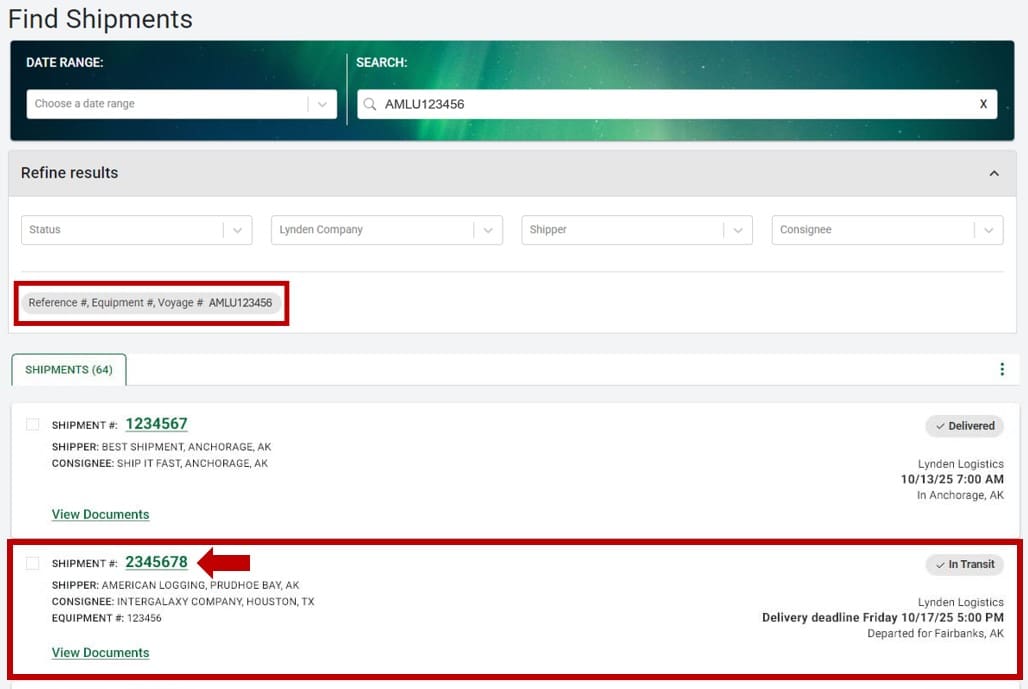
The search results will display basic shipment details, including the shipment number, current status, and the shipper and consignee names, along with their city and state.
To view more detailed information, click on the shipment number.
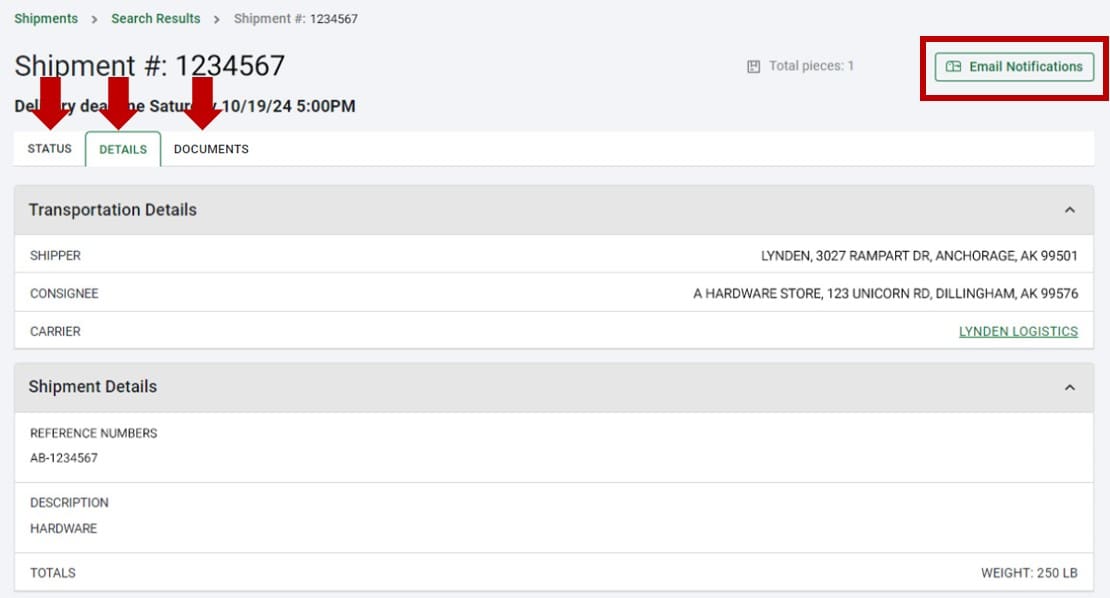
After clicking on a shipment in the search results, you’ll see additional information, including:
- Status and shipment progress
- Complete shipment details
- Any available documents
- Option to subscribe to email notifications
For more information about Email Notifications, see Shipment Updates.