You may schedule reports by clicking the calendar icon to the right of the report you wish to generate.
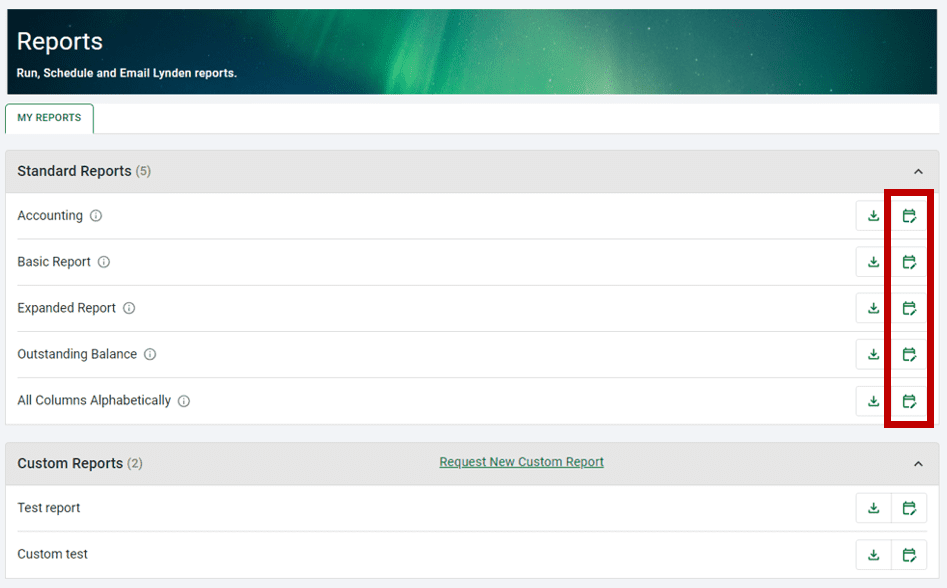
To schedule an Event-based report (formerly the Voyage report), click the calendar icon. At the top of the next page, you will see other reports, if any, that you have scheduled previously.

Click the Event-based tab, then select the Lynden company or companies the report should cover from the drop-down list. Select the type of data you wish to include in the report. Learn more about Data Types.
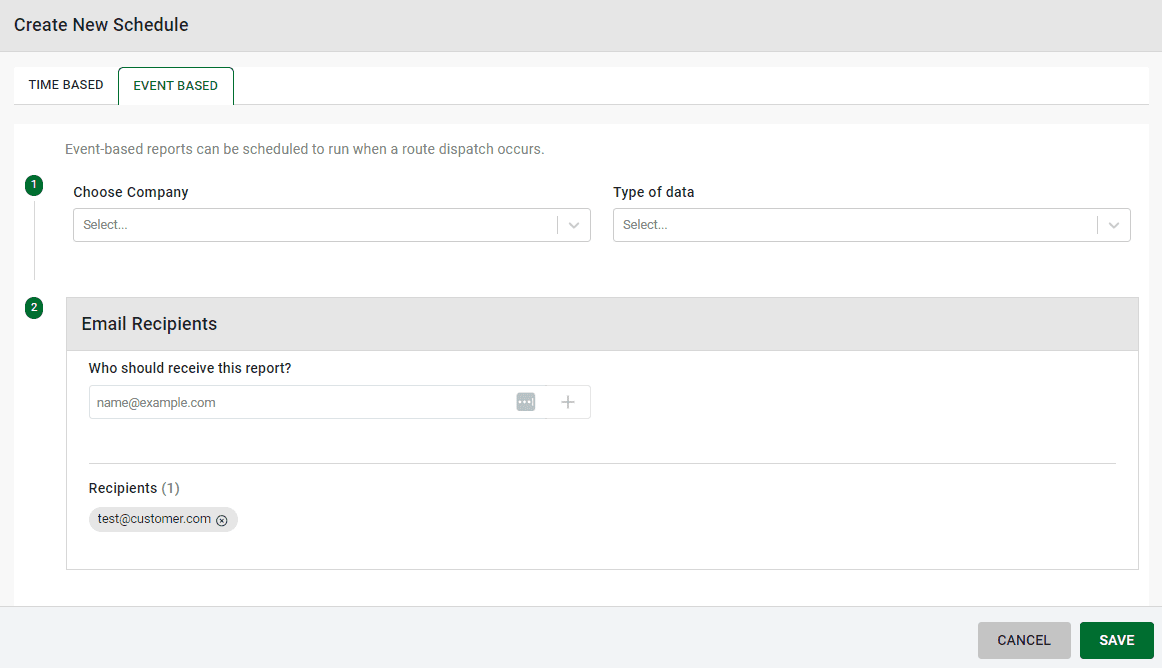
Add email addresses for those who should receive the report. Click save to add the report schedule.
Reports will be sent via email based on when the vessel departs. For ship service, the report is sent automatically 12 hours after departure. For AML barge service, the report send times vary by departure origin. Any report can be set up as event-based, but the data aligns best with the standard Expanded Report type.
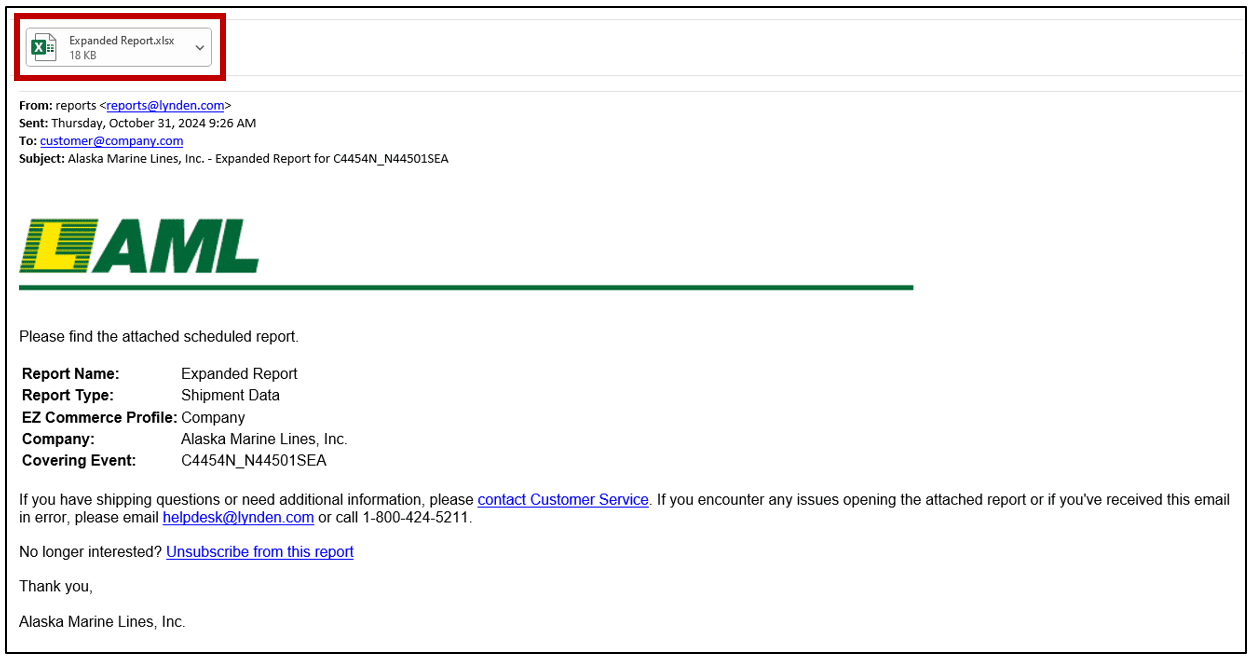
The report itself is delivered as an Excel attachment.