
The Report Activity tab provides an overview of all scheduled reports, including both standard and custom reports, for a customer account. Here, you can manage and maintain schedules in one place.
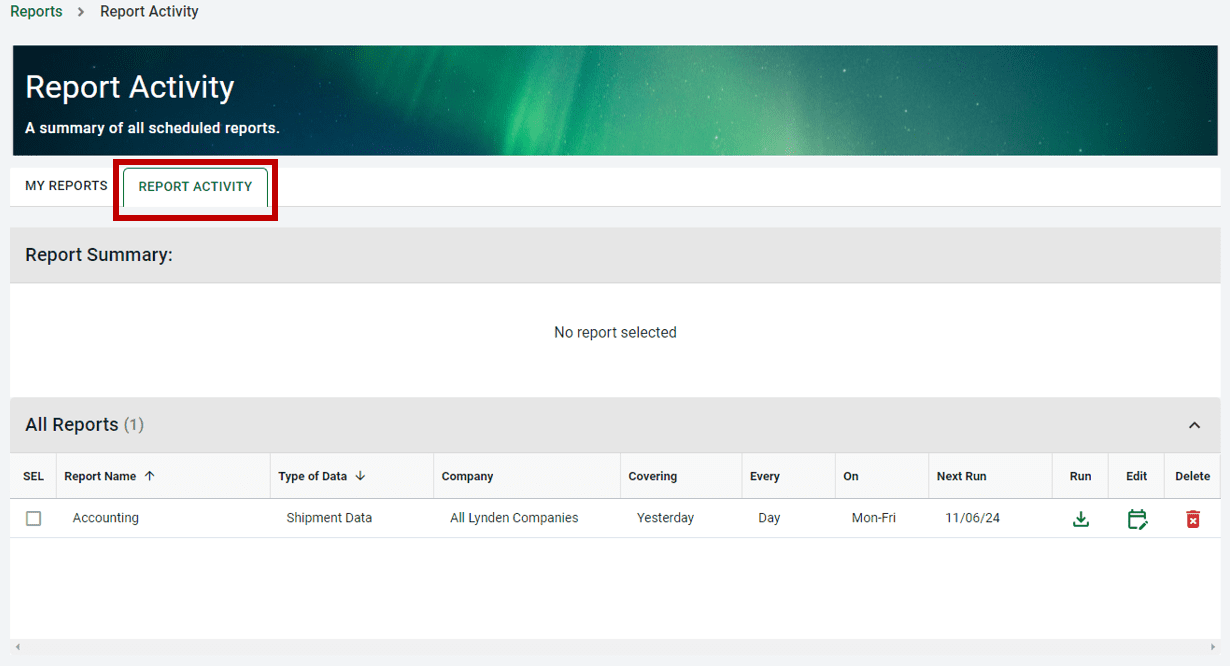
When you select a report from the All Reports list, the Report Summary above will display details for that report, including:
- Report name
- Report type
- Report creation date
- Email recipients
- Date report last ran
- Expiration date of schedule
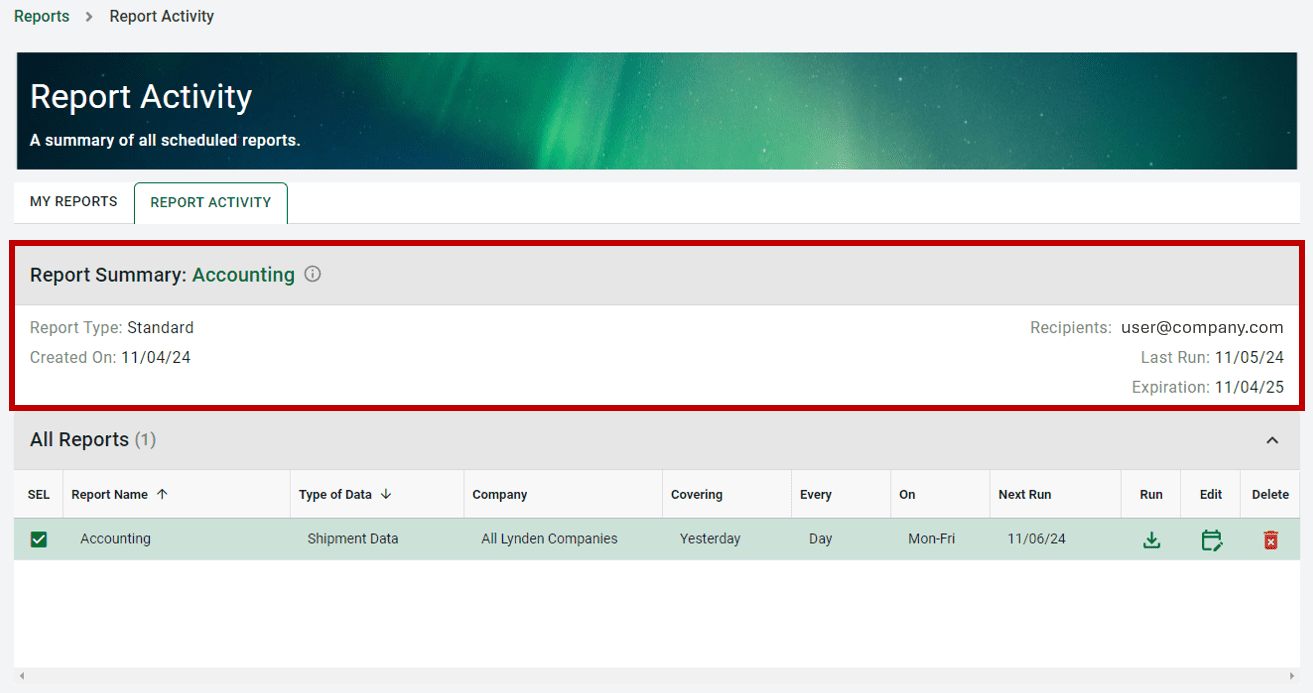
In the All Reports table, users will see an overview of report attributes, including:
- Report name
- Type of data
- Lynden Company or companies the report includes shipment information for
- Time-based frequency or Event-based type
- Next scheduled run date

Users can sort the scheduled report list using the column headers. On each report row you have the option to run, edit, or delete a report schedule for the report you selected.
View our guide on how to edit or delete a scheduled report.