
Many lists within EZ Commerce, including the list of templates, default to showing all results. Your list may be long and difficult to sort through, so filtering allows you to easily search for and identify specific items. To enter a filter token, type a single word or a multiple-word phrase and hit return. The list of templates will then filter to only show items that contain that word or phrase in the template name, tags, or form name.
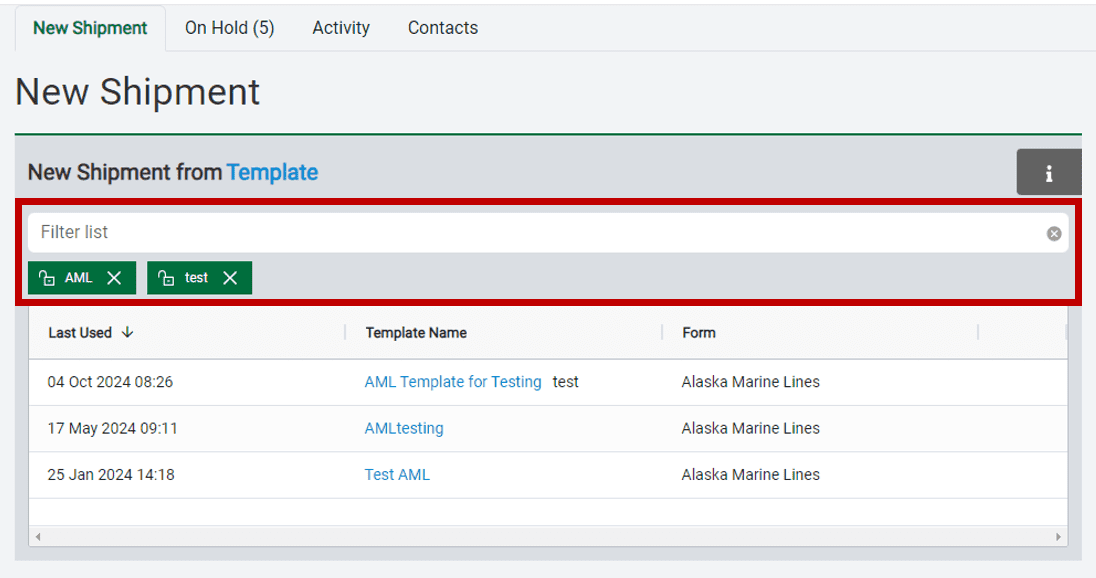
You can continue to add multiple filter tokens to further refine the list. If you want to always filter the list, you can lock one or more of the tokens, which will keep them in place every time you use this list until they are unlocked or deleted. This is especially helpful for companies with multiple locations or divisions that want to see only the items specifically related to them. This same filter functionality is available on the on-hold page, the contacts page, and when using the select contact feature from the shipment form.