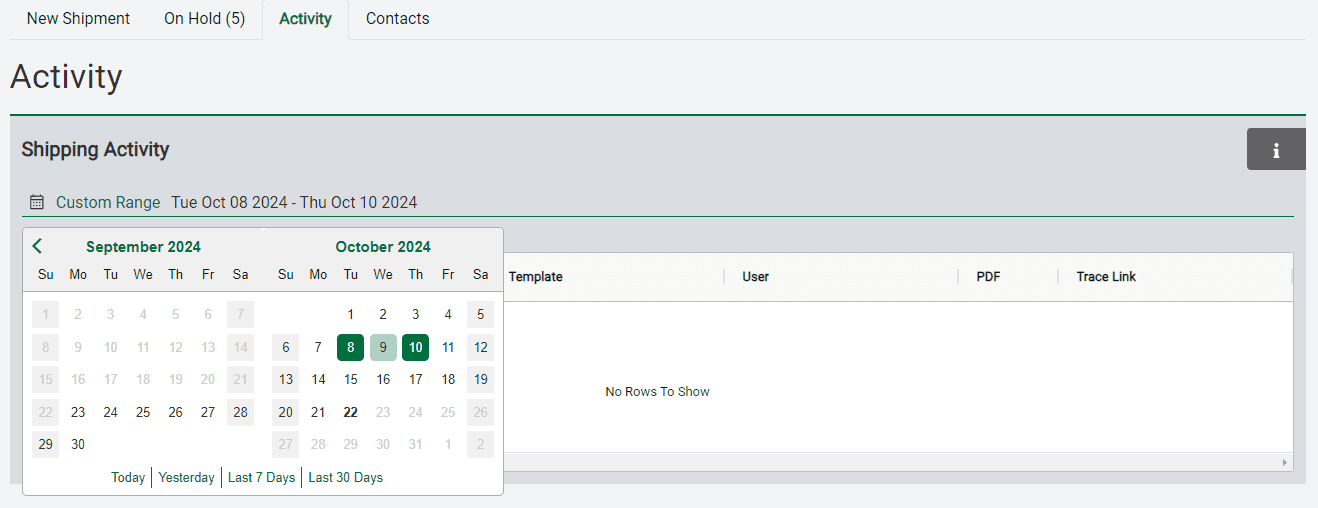
The Activity page displays every shipment sent through EZ Commerce by any user in your company profile. The view defaults to showing the last seven days of activity, but you can choose another time frame by clicking the calendar icon. You can select from the preset date ranges or customize your range by choosing the first and last date from the calendar. The list of shipments will then adjust to show only those within the range you selected.
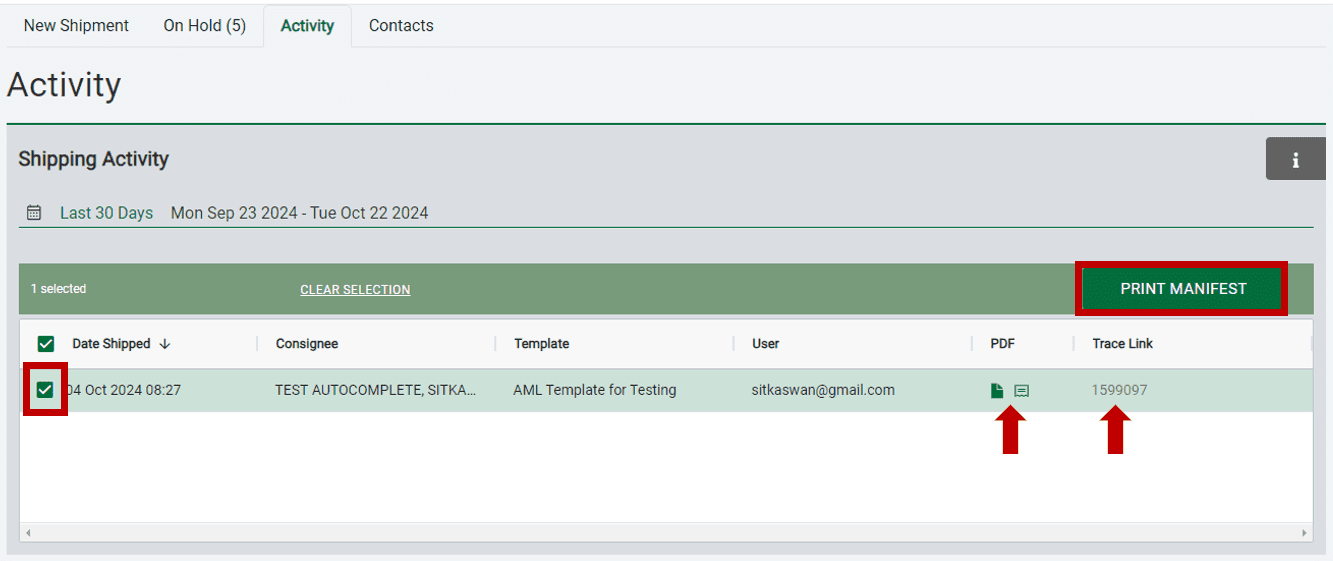
You can create a manifest of the shipments by placing check marks in the boxes on the left and then clicking Print Manifest. The icons under the PDF column allow you to reprint the documents and labels for each shipment that you’ve sent, and the trace link will take you to a tracking page that shows the status of that shipment.